Essential Lightroom presets are the secret tool that transforms scattered snapshots into a harmonious and professional visual story. In today’s world, where competition on Pinterest and other social media platforms is incredibly high, having a single, recognizable style for photo editing is not a luxury—it is a necessity for any brand, maker, or blogger. Attempting to manually adjust exposure, contrast, and color balance for every single shot is an exhausting and inefficient task. Using ready-made presets allows you to achieve visual integrity in just one click, saving hours of work and ensuring a consistently high quality of content. In this article, we will explore 8 key editing styles that will help you create your unique visual code.
Bright and Clean Styles: The Aesthetic of Minimalism
For many brands, especially in the niche of home decor, children’s products, and minimalist crafts, a «clean» look is a priority. Here, essential Lightroom presets work to brighten shadows and make white tones truly white, without any distracting tints.
1. Bright & Airy This is perhaps the most popular style on Pinterest. It is perfect for product photography, the Cottagecore aesthetic, and creating a sense of lightness. These presets gently brighten the image, add light to the shadows, and make colors more pastel and soft.
2. Minimalist Clean If your brand focuses on modern design, laser cutting, or high-tech gadgets, this style is for you. It focuses on high clarity, clean colors, and deep blacks, eliminating any distracting color «noise» that might take away from the subject.
Atmospheric and «Cozy» Styles: Creating the Mood
To create a deep emotional connection with your audience, styles that add atmosphere and warmth are best. On Pinterest, these photos often gather the most saves because they inspire and create a sense of «cozy living.»
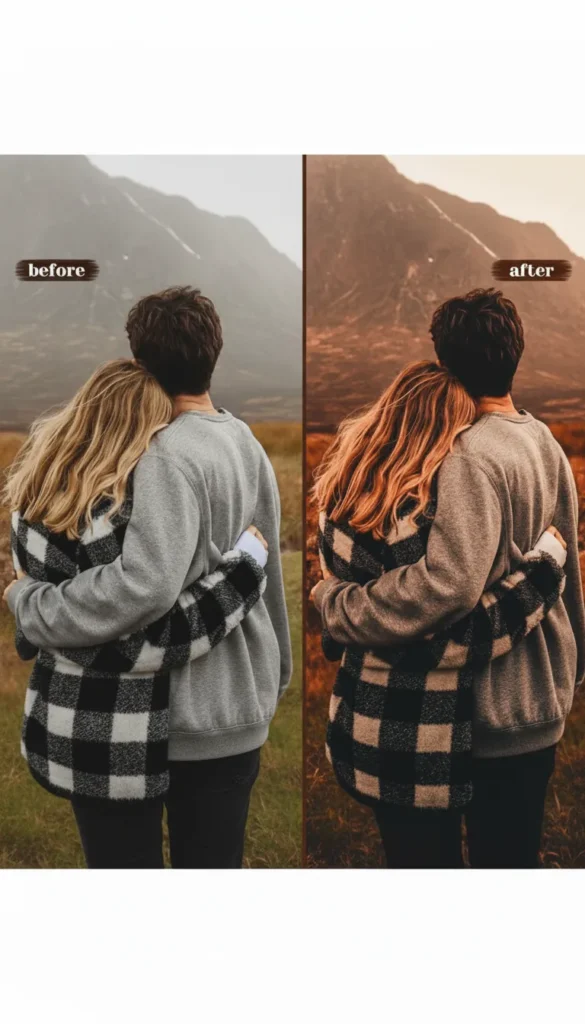
3. Warm & Moody This style is a favorite for the autumn and winter seasons. Essential Lightroom presets in this direction shift the white balance to the warm side, adding brown, golden, and muted orange tones. They perfectly emphasize the texture of wood, knitted items, and candlelight.
4. Boho Chic (Earth Tones) The Boho aesthetic requires specific color work. Presets in this style emphasize terracotta, olive, beige, and cream shades. They are ideal for macrame, succulents, leather goods, and natural fabrics.
Vintage and Artistic Editing: Seeking Nostalgia
Vintage styles never go out of fashion because they add history and artistic value to photographs. This is a great way to make your work stand out against the backdrop of sterile, studio-clean photos.
5. Retro Film Essential Lightroom presets that mimic film photography add a characteristic grain, soft contrast, and slightly muted, «faded» colors to shots. This creates a nostalgic mood that is highly valued by curators and users on Pinterest.
6. Matte Finish This editing style softens black tones, making them appear more grey or blue, and gives the photo a matte, almost velvety texture. It is excellent for portraits of makers at work or for showcasing the texture of paper and fabrics.
Specialized Styles for Crafters
Sometimes the goal of editing is not to change reality but to emphasize its strengths, focusing on the quality of materials and craftsmanship.
7. Vibrant Product If you sell epoxy resin jewelry, bright accessories, or colorful children’s toys, you need presets that enhance color saturation while maintaining natural skin tones. This style makes photos juicy and attractive for a click.
8. Black & White Artistic Nothing emphasizes shape, texture, and the play of light like high-quality black and white photography. Essential Lightroom presets for B&W editing help create dramatic, deep images that force the viewer to focus on the details of your craftsmanship, such as a knitted pattern or wood carving.
Advantages of Premium Presets Over Free Ones
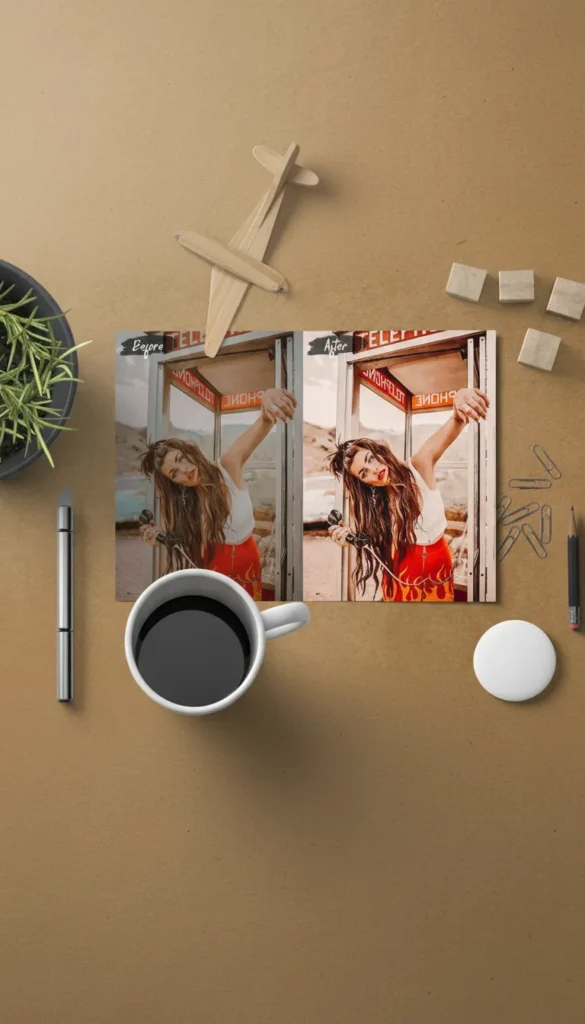
To save money, many people use free presets found online. However, professional assets from Creative Fabrica offer a completely different level of quality. Professional essential Lightroom presets undergo rigorous testing on hundreds of different photographs. They are designed to preserve skin texture (without making faces orange or plastic) and do not «break» the color histogram. Furthermore, premium sets often include Desktop + Mobile variations, allowing you to edit photos on both your computer and your phone in a unified style.
Technical Tips for Using Presets
Remember that a preset is not a «magic wand,» but a base for your editing. To achieve the perfect result, follow these tips:
- Shoot in RAW: If your camera or phone allows it, shoot in RAW format. It preserves much more information, allowing presets to work correctly without creating digital noise in the shadows.
- Adjust Exposure & White Balance: After applying a preset, you will most likely need to slightly adjust two parameters: Exposure (to make the photo lighter or darker) and White Balance (to make the photo warmer or cooler). This is a normal part of the workflow.
- Watch the Texture: If you are promoting macro shots of your work, make sure the preset does not «eat» the details through excessive noise reduction or shadow smoothing.
Conclusion
Investing in quality assets is an investment in your brand recognition. By using these 8 essential Lightroom presets, you are not just making your life easier; you are creating a professional visual language that speaks of the quality of your work before a client even reads the description. Creativity requires inspiration, and professional promotion requires the right tools. Experiment with styles, find your «signature» in editing, and let your Pinterest shine with a unified, attractive aesthetic.